
The NextHub platform

All your WordPress sites.
One central workspace.

Connect your website portfolio with NextHub Manager and NextHub Connector. Review site information and access supported management tools from one organized dashboard.

Two plugins. One workflow.

Meet the two parts of NextHub

Manager is your central WordPress workspace. Connector is installed on each website you want to connect.

Central WordPress site

NextHub Manager

Your central control panel for the websites in your portfolio.
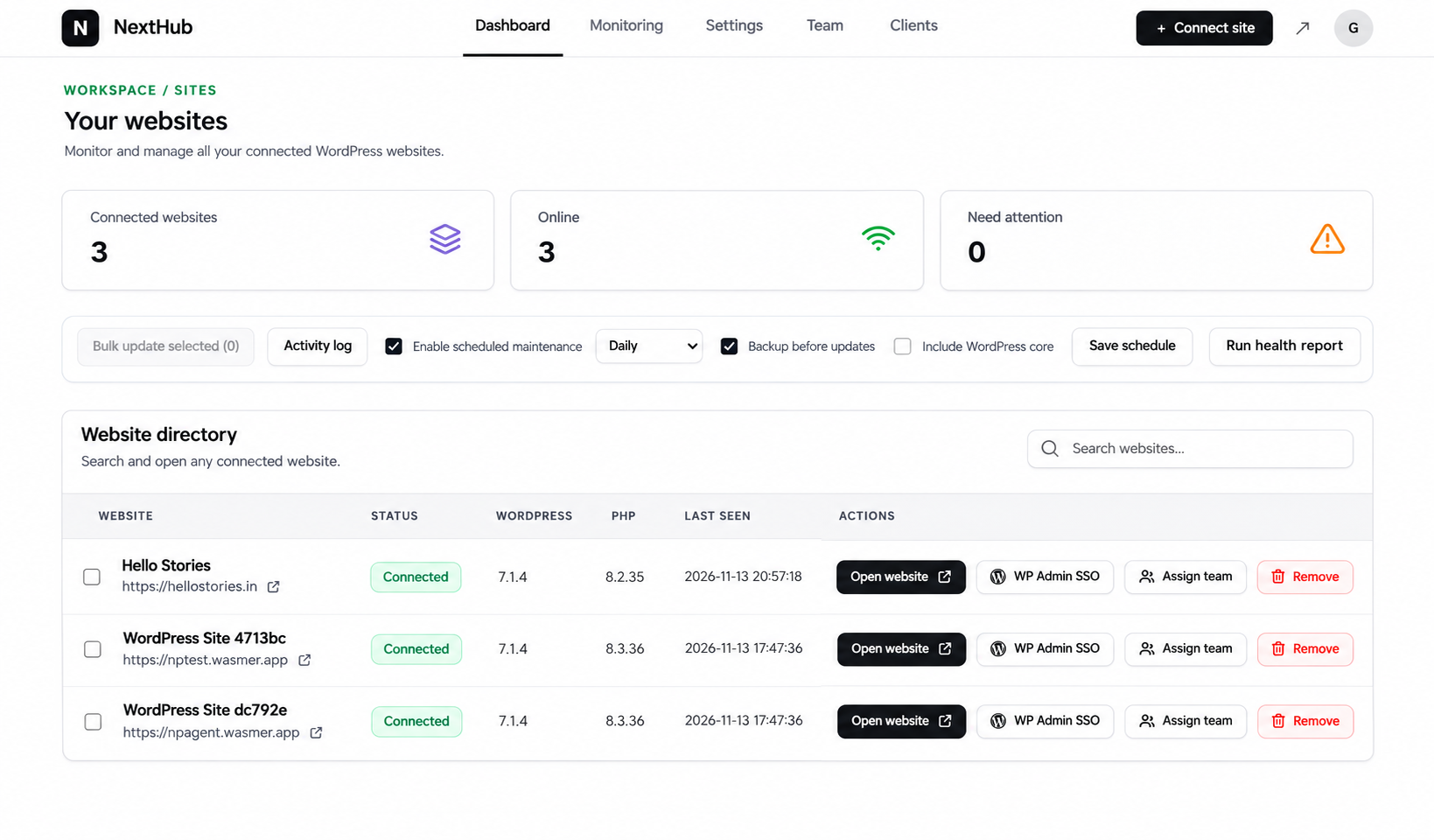
NextHub Manager website directory and management dashboard
  • View your connected website directory
  • Review connection and site information
  • Access available monitoring and maintenance tools
  • Use available team and site-management actions
Install on the WordPress site you use as your management hub.
Each managed website

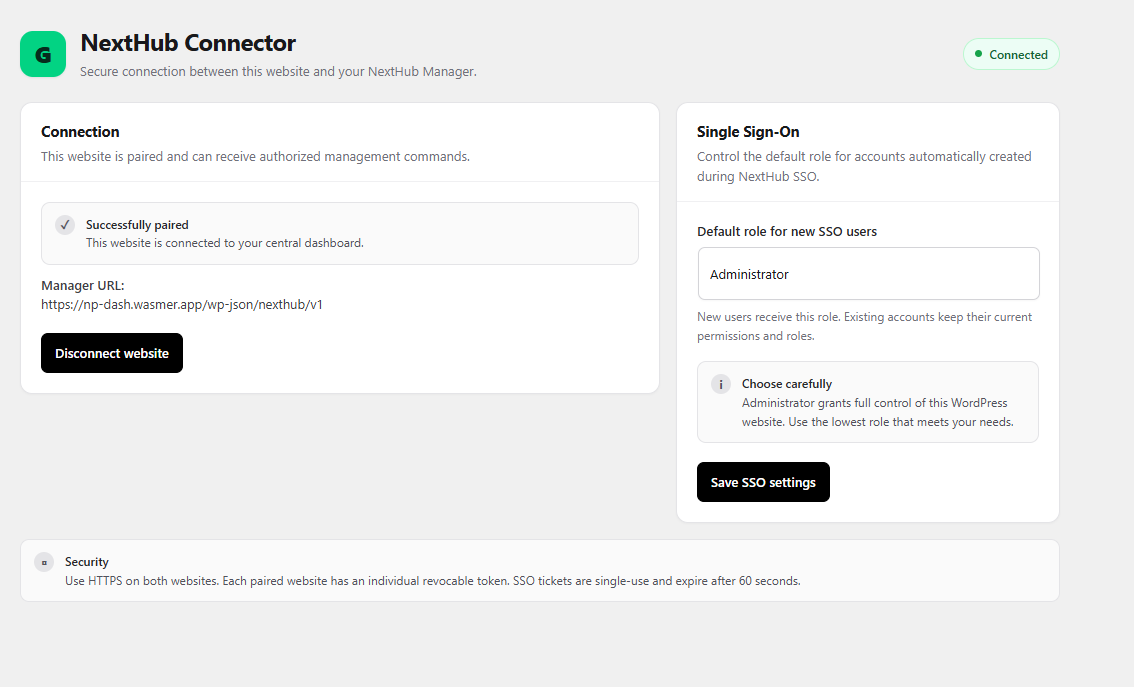
NextHub Connector

The companion plugin that links an individual WordPress website to your Manager.

NextHub Connector settings showing successful pairing and Single Sign-On settings
  • Install on every WordPress website you want to connect
  • Complete the pairing process with Manager
  • Establish the connection used by supported Manager tools
  • Keep the Connector active on each managed website
Install on each client or business website you want to manage.
Do you need both? Yes. Manager provides the central workspace; Connector is installed on the websites you want to connect to it.
Your website portfolio

Everything organized in one place

Use the capabilities available in your installed NextHub release to review connected sites and coordinate routine website work.

Central dashboard

See your connected website directory and key site information from one workspace.

Website connections

Pair individual WordPress websites through the Connector plugin.

Monitoring overview

Review available website status, monitoring information and last-seen details.

Updates & maintenance

Access update monitoring and scheduled maintenance controls where available.

Backup scheduling

Configure available backup scheduling and backup-before-update options.

Team workflows

Use available team controls to coordinate access to connected websites.

Simple setup

Get connected in three steps

Start with your central Manager, pair each website, then work from one dashboard.

01

Install Manager

Install NextHub Manager on the WordPress website you want to use as your central management hub.

02

Install Connector

Add NextHub Connector to each client or business website you want to connect.

03

Pair your websites

Follow the pairing instructions in your installed plugins, then review connected websites from Manager.

Built for website workflows

A simpler way to look after multiple WordPress sites

NextHub is designed for people who look after one or more WordPress websites, from independent site owners to freelancers and agencies maintaining client portfolios.

WordPress site owners
Freelancers managing client websites
Agencies coordinating website portfolios
NextHub Platform

Ready to bring your websites together?

Explore the setup guide or contact support if you need help connecting your first website.

Feature availability and limits depend on your installed plugin versions and product plan. Refer to the features and license terms supplied with your purchase.